 may
dff962974f
may
dff962974f
3.9 KiB
muse2040
This is a Love Spouse/MuSe sex toy driver using the CYW43 wireless adaptor on the Raspberry Pi Pico W.
A patch for buttplug.io support can be found in the patches directory.
Requirements
- a Raspberry Pi Pico W (unsure about the Pico 2 W)
- program requirements listed below
- a will to live
Installation
Binaries
Since I lack a USB Vendor ID, I cannot distribute the binaries of muse2040 as it uses stock Pi Pico values. I am also most likely not permitted to distribute the patched version of buttplug.io and Intiface, so you'll have to compile that yourself.
Compilation
Important
Git is required to clone the Git repositories required and apply the muse2040 patches.
Rust is required to compile muse2040, buttplug.io and Intiface.
Flutter is required to compile Intiface.
muse2040
The thumbv6m-none-eabi target is required to build muse2040. You can add it by running the command rustup target add thumbv6m-none-eabi.
Clone the repository with git clone https://git.girlcock.wang/may/muse2040 and enter it with cd muse2040.
Direct Flashing
You'll need PicoTool installed. You can install it via the package manager of your choice — but since there aren't many distributions of it, you may need to build it from source. [ AUR | PicoTool GitHub ]
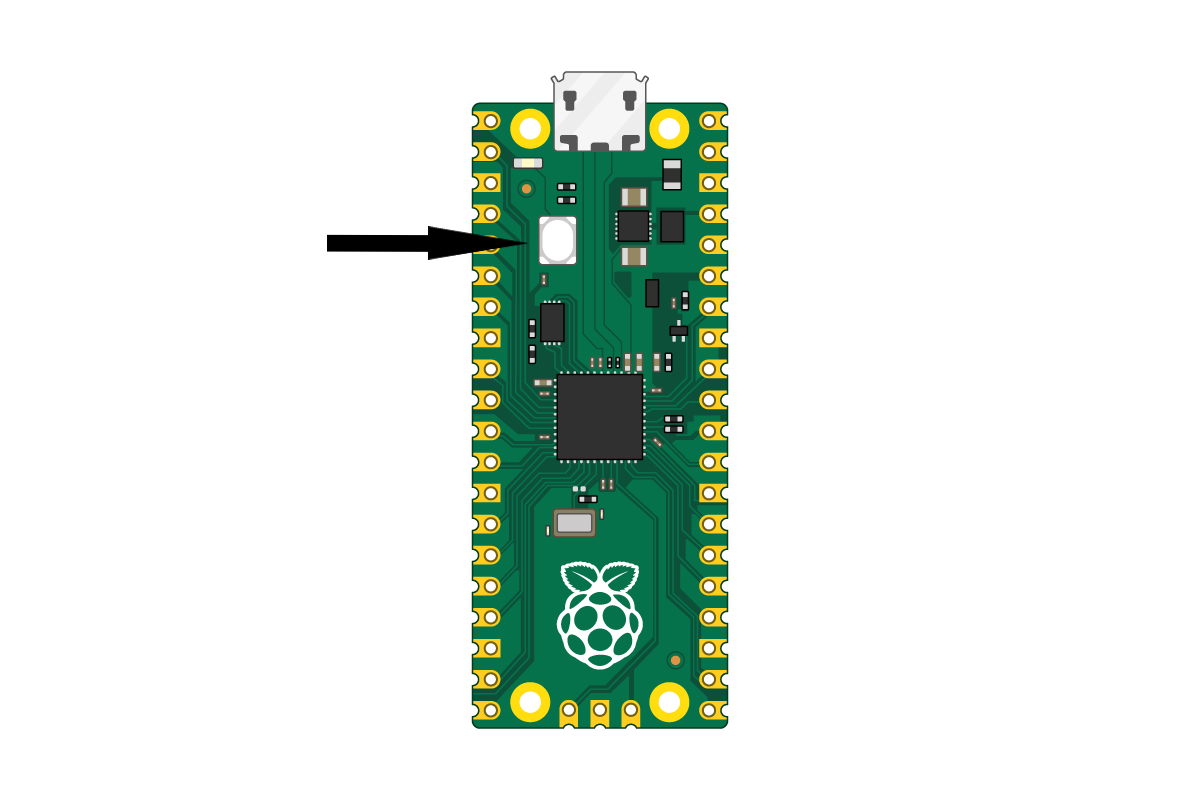
Plug your Pi Pico into your machine via USB while holding the BOOTSEL button. A USB drive should appear called RPI-RP2, but disregard it. Run the following command:
cargo run --release
UF2 File
You'll need elf2uf2-rs installed. You can install it by running cargo install elf2uf2-rs.
Run the following to build a UF2 of muse2040:
cargo build --release
elf2uf2-rs ./target/thumbv6m-none-eabi/release/muse2040 muse2040.uf2
The final UF2 file can be found at the root of the repository.
Verifying Installation
Check that the green LED on the Pico turns solid. Run lsusb or check the USB section of Device Manager. You should see a device called Love Spouse/MuSe Generic Device (muse2040) with the ID 2e8a:6969.
If your toy only uses 1 channel, you can test it by running python tests/test_vibration.py. Note that you will need pyserial installed for this to work (pip install pyserial).
buttplug.io + Intiface with muse2040 support
Go to the parent directory of muse2040 (if you're in the muse2040 directory run cd ..) and run the following commands to clone buttplug.io:
git clone https://github.com/buttplugio/buttplug
git clone https://github.com/intiface/intiface-central
To patch buttplug.io, run the following:
cd buttplug
git apply ../muse2040/patches/buttplugio.diff
cargo build
cd ..
To compile Intiface, run the following:
cd intiface-central
flutter build linux # you may need to configure JAVA_HOME before executing this!
To run the patched Intiface, run build/linux/x64/release/bundle/intiface_central in the intiface-central directory.
Usage with buttplug.io
Enable Experimental Settings in the App Modes tab, then scroll down and enable Serial Port. Then, go to Devices and add a serial device with the following settings:
| Linux | Windows | |
|---|---|---|
| Protocol Type | muse2040 | muse2040 |
| Port Name | /dev/ttyACM0 | COM3 |
| Baud Rate | 115200 | 115200 |
| Data Bits | 8 | 8 |
| Parity | N | N |
| Stop Bits | 1 | 1 |
Turning on the server and starting a scan should (hopefully) show the device.